
Game Dialogue Iteration: Stop Rebuilding to Test One Line
Most advice about branching dialogue is about structure. Which architecture scales, how to avoid combinatorial explosion, when to converge. That advice is worth having, and I have written plenty of it. But it is not what slows people down day to day.
The thing that quietly kills a narrative project is the feedback loop: the gap between changing a line and seeing that line in the game. Writers do not abandon scenes because the structure was wrong. They abandon them because checking whether a rewrite landed costs six minutes, so they stop checking.
The real cost of changing one line
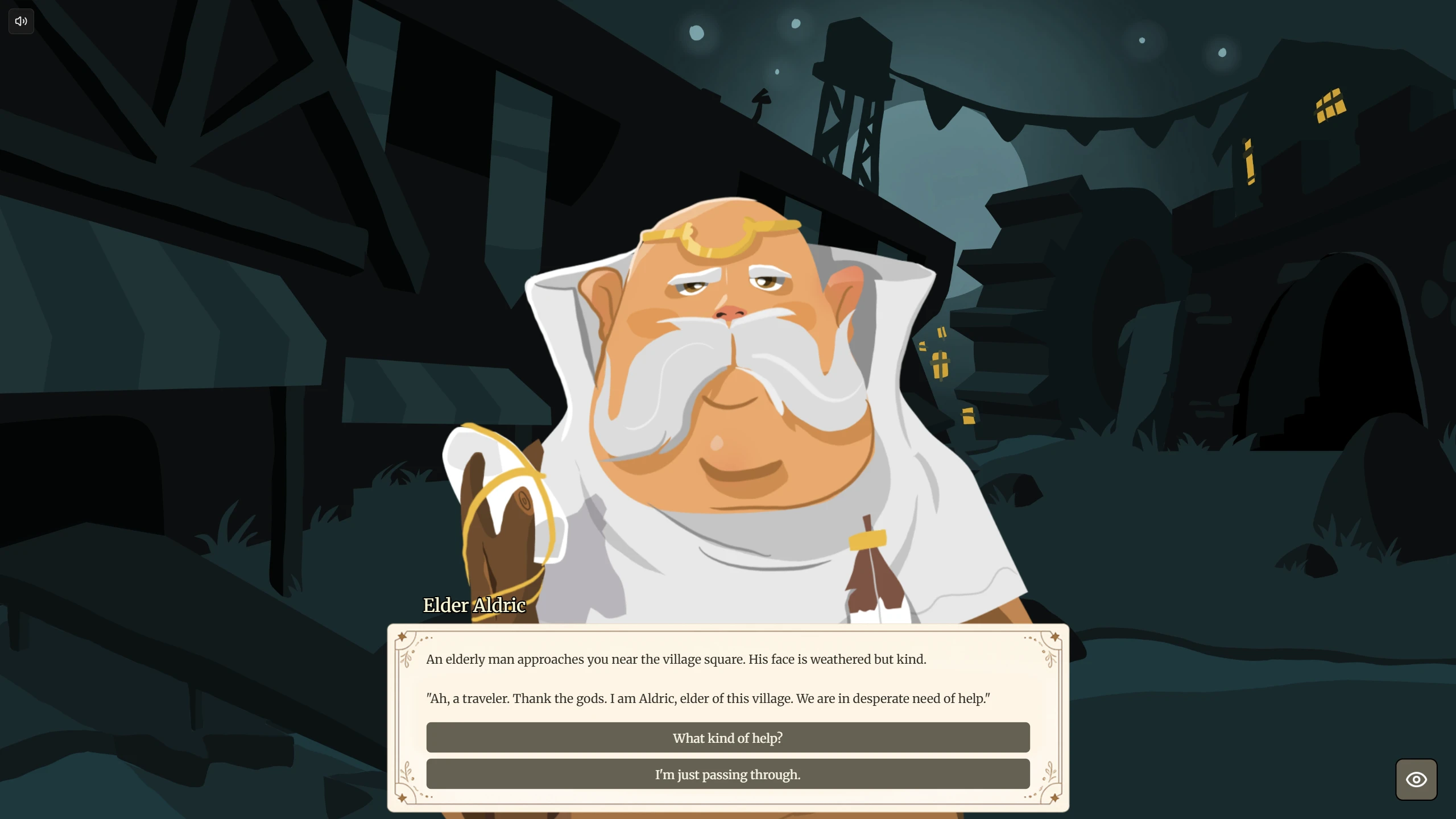
Take a concrete case. You have a conversation with the village elder. Twelve nodes in, behind a check on whether the player accepted the quest and a second check on whether they have already met the merchant, there is a line that reads slightly wrong. Too formal. You want to try three alternatives.
Here is what one attempt costs in a typical setup:
- Edit the line: 10 seconds
- Reimport or rebuild: 30 to 90 seconds depending on engine and project size
- Launch and load: 10 to 30 seconds
- Replay to that node: 3 to 5 minutes, including making the same choices in the same order
Call it five minutes. Three alternatives is fifteen minutes to evaluate one line. Twenty small tweaks across an afternoon is close to two hours of waiting, and almost none of that time is spent writing or judging. It is spent travelling back to the same place.
The second-order effect is worse than the lost time. At five minutes a pass, you only test the changes you are already fairly confident about. The marginal edit, the one where you genuinely cannot tell whether it is better, never gets tested. That is exactly the edit that decides whether a scene works.
Why dialogue iterates worse than code
Three properties combine to make narrative unusually expensive to check.
It is positional. A function can be called in isolation. A line of dialogue only exists at a specific point in a graph. There is no equivalent of calling it directly, because the line without its surrounding context is not the thing you are trying to evaluate.
It is stateful. That node is gated by conditions, and those conditions read variables set by choices made earlier. Reaching the node is not enough. You have to reach it in the right state, or you see a different branch than the one you edited.
It is subjective. Code has tests. A line of dialogue has your judgement, in context, at speed, with the character portrait and the timing and the choice buttons underneath it. That means the only way to know is to look, and the only way to look is to get there.
Put together: the artefact you need to evaluate cannot be isolated, cannot be reached without replaying state, and cannot be verified without a human looking at it. Every one of those pushes the cost of a single revision up.
Four ways to shorten the loop
Each of these removes a different part of that five minutes. They stack, and the order matters, because the biggest cost is usually the last one people optimise.
1. Play without leaving the editor
The first and easiest win is removing the build and the launch. If the tool you write in can also run the story, you cut 40 to 120 seconds off every attempt and you stop context-switching between two applications.
This alone does not fix the problem. You have removed the build, but you are still replaying from the start of the story to reach node twelve. It is the cheapest improvement available and it addresses maybe a quarter of the cost.
2. Start from any node, not the beginning
The expensive part is navigation. If you can begin playback at an arbitrary node rather than the story's entry point, three to five minutes collapses to nothing.
The catch is state, and it is the reason this feature is often less useful than it sounds. Jump straight to node twelve and the conditions around it evaluate against empty variables. You will see a version of the line, just not the one a real player reaches. Jump-to-node is only genuinely useful when paired with the ability to set variables by hand before you run.
3. Push edits into a running game
This is the one that changes the character of the work. Instead of restarting anything, the editor holds an open connection to the running game, typically a WebSocket, and pushes the updated story across as you save. The runtime picks up the new text the next time it reaches that node.
The practical effect is that you stop thinking about the loop at all. You leave the game running on one monitor, keep rewriting on the other, and re-trigger the conversation whenever you want to hear the new version. The cost of an attempt drops from minutes to seconds, which is the point at which you start testing the edits you are unsure about.
This is what Live Sync does in StoryFlow, and the engine plugins for Unity, Unreal Engine and Godot all support it. It is also the feature people are most surprised by, because the workflow it replaces is so normalised that most teams have stopped noticing the cost.
4. See the state, do not infer it
Half of narrative debugging is not "is this line good" but "why did it show me this line at all". Without visibility into variables at runtime you end up adding temporary text to dialogue just to print a flag, which is its own slow loop.
A runtime inspector that shows the current script and the live value of every local and global variable turns a guessing game into a glance. When a branch goes the wrong way you can see immediately whether the flag was never set, set too late, or set on a path you did not expect the player to take.
What this looks like in Unity, Unreal Engine and Godot
None of the three engines gives you fast narrative iteration for free, and the reason is the same in each case: if the dialogue is compiled into the build, it can only change when the build changes.
Unity. Entering play mode is fast, but dialogue stored in a ScriptableObject or baked into a scene is read on load. Domain reload settings affect how quickly you can re-enter play mode, but they do nothing for the replay cost of reaching a node deep in a conversation.
Unreal Engine. Blueprint iterates quickly and C++ does not. If your dialogue lives in a data table or a hard-coded Blueprint graph, a text change becomes a recompile and a Play-In-Editor restart, and the state you built up is gone with it.
Godot. The fastest of the three to relaunch, which disguises the problem for longer. The replay cost is unchanged, and GDScript reload does not help when the dialogue is a resource read at scene load.
The common fix is architectural rather than engine-specific. Keep the story as external data the runtime reads at play time instead of an artefact baked into the build, and reloading becomes possible at all. That separation is the same one that makes dialogue editable by a writer who does not open the engine, which is the argument for a dedicated narrative tool in the first place.
Common mistakes
Only ever testing from the start. If the only entry point is the story's first node, every test of late-game content carries the full replay cost, so late-game content gets tested least. It is usually the worst-written part of the game for exactly this reason.
No way to force a variable. Jump-to-node without variable control gives false confidence. You read the line, it seems fine, and the version players actually get is the other branch.
Judging a line in the editor rather than in the game. Dialogue reads differently in a text field than it does on screen, at the player's reading pace, with the choices visible underneath. Lines that look verbose in the editor often play fine, and lines that look tight often land flat.
Treating slow iteration as a personality flaw. Writers who stop testing their own scenes are usually responding rationally to a loop that costs too much. The fix is the loop, not more discipline.
Where to start
If you only change one thing, make the story external data your runtime reads rather than something compiled into the build. Everything else on this list becomes possible once that is true, and none of it is possible while it is not.
After that, the order that pays off fastest is: play without leaving your authoring tool, add variable control so you can fake state, then add live reloading. Runtime state inspection is the one people add last and wish they had added first.
StoryFlow Editor does all four, and you can try the workflow on a real project. The example project ships with the editor and runs in the browser, or you can read the quick start to get a conversation running in about ten minutes. If your current dialogue code has already outgrown its structure, the five architectures that scale is the companion piece to this one, and writing branching dialogue that doesn't suck covers the craft side once the loop is out of your way.
Frequently Asked Questions
Why does testing game dialogue take so long?
Because a line only exists at a position in a graph, gated by state. To read one line in context you rebuild, launch, then replay every choice leading to that node with the right flags set. The edit takes seconds and reaching it takes minutes. A line twelve nodes deep behind two conditions routinely costs four to six minutes per attempt.
What is live sync for dialogue?
An open connection between the narrative editor and the running game, usually a WebSocket, that pushes an edited story into the game while it is still running. The next time the runtime reaches that node it uses the new text. No rebuild, no relaunch, no replaying to the same point.
Can you hot reload dialogue in Unity, Unreal Engine or Godot?
Not by default for narrative content. All three reload code or assets to some degree, but dialogue baked into a scene, a ScriptableObject or a compiled data table is only re-read on load. Treating the story as external data the runtime reads at play time is what makes reloading possible at all.
How do you test a branch without playing the whole game?
You need two things: playback that starts from an arbitrary node, and the ability to set the variables that node depends on. Without the second, you see the line but not the version a player would reach, because the surrounding conditions evaluate against empty state.
Does faster iteration actually improve writing quality?
It changes how many passes you take. Dialogue is judged by feel rather than a test that passes, so quality comes from revision. At five minutes a revision you make the edits you are confident about. At five seconds you make the ones you are unsure about, and that is where pacing and voice get fixed.
Related Posts
Enjoyed this post?
Subscribe to get notified about new articles and updates.