
Best Godot Dialogue Systems in 2026, Tested and Compared
Godot ships without a dialogue system. There is RichTextLabel, there are signals and resources, and
there is nothing narrative-specific in between. So every story-driven Godot project starts with the same decision:
adopt an addon, bring the story in from an external tool or build something yourself.
That decision is usually framed as Dialogic versus Dialogue Manager, and the framing hides the actual question. Dialogic vs Dialogue Manager is not a contest between two implementations of the same idea. They are different answers to where dialogue should be written and who should write it. Choose by that, and the comparison mostly resolves itself. Choose by popularity, and you can end up fighting a good tool that was built for someone else's game.
The short answer
If you only read one section, read this one. The rest of the post is the reasoning behind each cell.
| System | Editing model | Status | Price & license | Best for |
|---|---|---|---|---|
| Dialogic 2 | Visual timeline editor inside Godot | Alpha, actively developed, current builds need Godot 4.5+ | Free, MIT | Visual novels and cutscene-heavy games that want polish fast |
| Dialogue Manager 4 | Script-like text files inside Godot | Stable, actively updated, Godot 4.6+ (older releases cover earlier 4.x) | Free, MIT | Programmers wiring dialogue into RPG and system-heavy games |
| StoryFlow Editor + plugin | Node graph in a separate desktop app | Stable, plugin runs in Godot 4.3+ | $30 one-time editor, free MIT plugin | Branch-heavy stories, writers on the team, multi-engine projects |
| Build your own | GDScript you write and maintain | As stable as you make it | Free, paid for in time | Jams and small games with mostly linear conversations |
Should you build your own dialogue system in Godot?
It is worth settling this first, because many people comparing dialogue systems are really asking whether they
need one at all. For a game jam or a game with a handful of linear conversations, hand-rolling is genuinely fine.
A RichTextLabel, an array of lines and a button gets NPCs talking in an afternoon, and Godot's
signals make the wiring pleasant.
The trap is that displaying text was never the hard part. The hard part is memory. The moment a conversation needs to know about a choice made in a different scene, you are managing state, and every new flag multiplies the paths you have to test. I wrote about why first dialogue systems collapse in more detail, and the short version is: they do not fail at rendering text, they fail at branching. If your story branches, use something that has already solved state. That is where these three come in.
Dialogic 2: the visual novel specialist
Dialogic is the most widely used dialogue addon for Godot. Conversations are built as timelines: sequences of events like "show character", "say text", "play sound" and "offer choices", assembled in a visual editor docked inside Godot. It comes with a character editor, portrait positioning, per-scene styles, a save system, text effects and a history log, all covered in detail in the official documentation. For a visual novel, that is most of the game's presentation layer handed to you for free.
Where it wins: speed to a polished result without writing code. If your game looks anything like a visual novel, Dialogic reaches "this looks like a real game" faster than anything else in this post, my own tool included. The feature surface is enormous and all of it lives inside the engine you are already using.
The honest caveats: Dialogic 2 has been in alpha for years and still is at the time of writing, with the maintainers explicitly reserving the right to make breaking changes between versions. Shipped games use it regardless, but pin your version and treat upgrades as migrations. It is also a heavyweight. You are adopting its save system, its state handling and its scene structure, which is a great deal for a VN and a fight for anything else. And a timeline is a sequence, not a map. Once branching gets dense you are jumping between timeline files with no way to see the overall structure of the story.
Dialogue Manager: dialogue as text, state as yours
Dialogue Manager by Nathan Hoad takes the opposite approach. Dialogue lives in plain text files with a lightweight syntax: titles mark entry points, indented lines under a response become its branch, conditions gate lines with familiar if/else logic and mutations call straight into your GDScript. The current major version targets Godot 4.6+, older releases cover earlier 4.x, and a C# wrapper is included. The syntax is small enough that the official docs teach it in an afternoon.
Where it wins: stability and restraint. It is production ready, updated constantly and deliberately stateless, meaning it evaluates conditions against your game's own variables instead of keeping a parallel copy of the world. For an RPG where dialogue needs to check quest state, inventory and reputation, that is exactly the right shape. It also has the strongest localization story of the in-engine options, with gettext and CSV support wired into Godot's own translation pipeline. If I were building a system-heavy RPG solo and wanted dialogue expressed as code, this is what I would use.
The honest caveats: dialogue as code is also the limitation. Writers who do not program can learn the syntax, but they are still writing in what is effectively a scripting language, without a picture of how scenes connect. Past a few hundred lines the branch structure lives in your head, and reviewing a story means reading diffs. The included balloon is a starting point rather than a finished UI, which is fair for a free tool, but the UI work should be in your plan.
StoryFlow: design the story outside the engine
The third approach moves authoring out of Godot entirely. In StoryFlow Editor you draw the story as a node graph in a dedicated desktop app: dialogue nodes, choices, variables and conditions, all visible on one canvas. The Godot plugin is free, open source under MIT and written in pure GDScript. It imports the exported story, runs the full node graph at play time and emits typed signals your UI reacts to, with characters, audio, save slots and localization handled by the runtime.
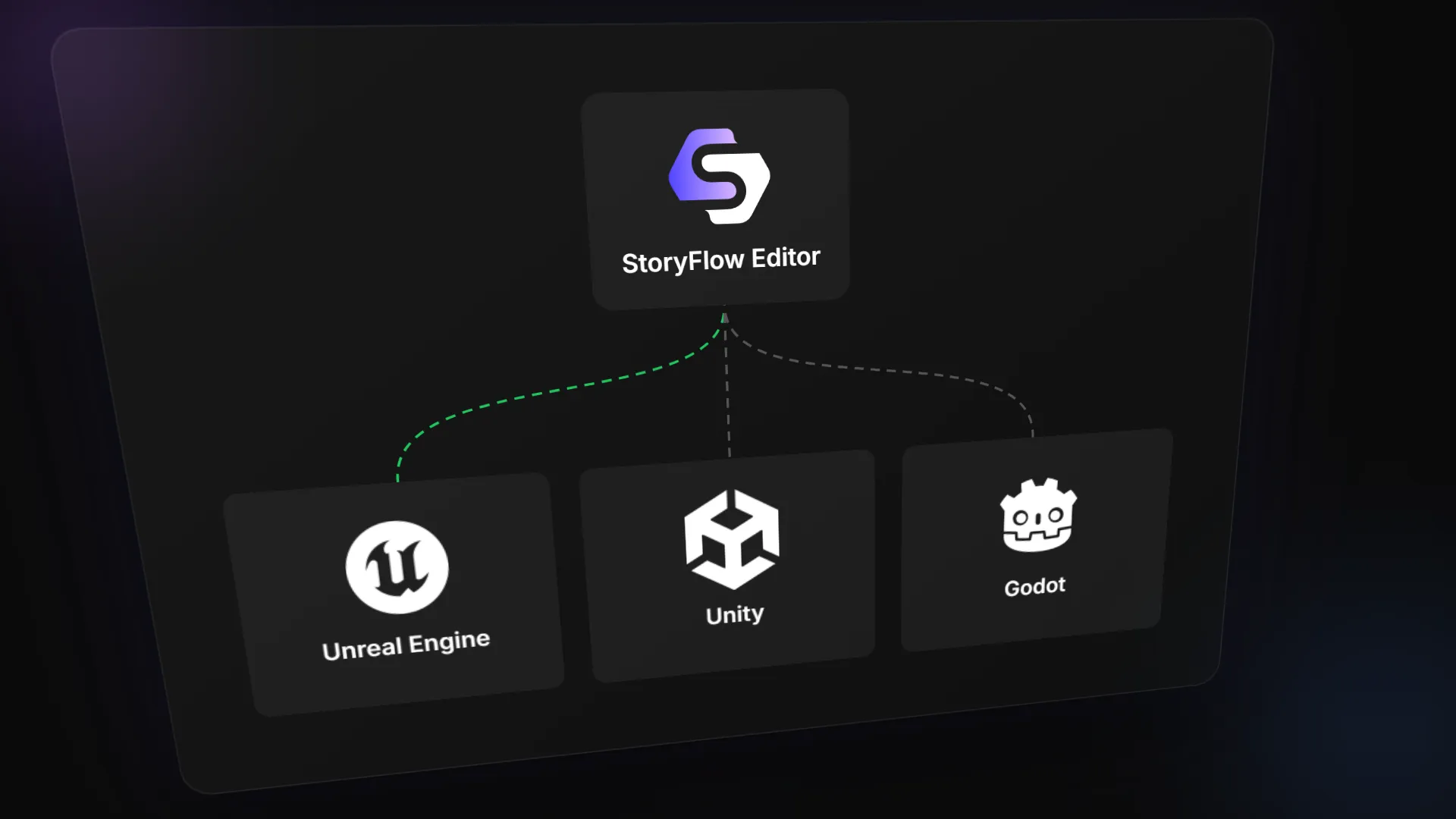
Where it wins: seeing the story. When a scene has thirty nodes and four variables gating its options, a graph shows the shape of it at a glance, which is precisely what timelines and text files cannot do. It is also the only option here that a non-technical writer can genuinely own: no syntax, no engine, and the story plays inside the editor without Godot even installed. Because the story is engine-agnostic data, the same project also exports to Unity, Unreal Engine and HTML, so a mid-project engine switch does not take the narrative with it. And Live Sync pushes edits into a running Godot game over WebSocket, so a rewritten line shows up in play without re-importing. I have written before about why that iteration loop matters more than it seems to.
Where the other two beat it: the editor costs $30 and is a separate app, so dialogue is not editable inside Godot, and for some workflows that alone is disqualifying. Dialogic ships more visual novel staging out of the box. Dialogue Manager is leaner if dialogue is a thin layer over game systems and you would rather express conditions directly in code. Both have also been in the Godot ecosystem longer, with the third-party tutorials and community answers that come with that.
Rather than argue the case in the abstract, here is a complete game you can pick apart: The Beast of Millhaven is a free example project built with the plugin, a visual novel with RPG mechanics including a character creator, a merchant shop with drag-and-drop inventory and a cave troll battle. The story, the combat math and the shop prices were all authored visually in StoryFlow, and the interface is plain GDScript reacting to the plugin's signals. It runs out of the box in Godot 4.3+.
Where each one actually wins
Writing workflow. This is where the choice actually gets made, and it is about who does the writing. Dialogue Manager assumes the writer is comfortable in a text editor with syntax. Dialogic assumes they will assemble events in a timeline inside Godot. StoryFlow assumes they might never open Godot at all. None of these is wrong, but picking a tool your actual writer will not use is how narrative ends up bottlenecked through a programmer.
Branching at scale. Text files and timelines both hide structure, graphs expose it. The flip side is that graphs sprawl, which is why StoryFlow splits stories across multiple scripts and reusable flows instead of one endless canvas. Dialogue Manager handles scale through titles and jumps, which works, but the map lives in your head. Dense branching in Dialogic means hopping between timeline files, and reasoning about the whole gets hard.
Localization. Dialogue Manager plugs into Godot's gettext and CSV pipeline and is the most mature here. Dialogic supports translations as well. StoryFlow uses its own string tables with runtime language switching, which travel with the story across engines. If you are shipping in six languages, test the workflow before committing to anything, whatever you pick.
Testing and iteration. With the in-engine addons, checking a line means running the game or a test scene and clicking through to the branch you changed. StoryFlow plays the story inside the editor, jumps playback to any node and pushes edits into a running game via Live Sync, and the runtime debugger shows every variable while the story runs. This is the gap I originally built the tool to close, so weigh my bias accordingly, but it is the difference you feel daily.
Which dialogue system fits your game
Match the tool to the game and to the person writing for it.
- You are making a visual novel and want it looking polished this month: Dialogic. Accept the alpha status, pin your version and take the head start on presentation.
- You are a programmer building an RPG where dialogue reads and writes game state: Dialogue Manager. Stable, lean and designed for exactly that integration.
- The story is the game, it branches hard, or a writer who does not code needs to own it: StoryFlow. The graph, the in-editor playback and the writer-friendly workflow are built for that case, and The Beast of Millhaven lets you evaluate the result before paying anything.
- You might not stay in Godot: also StoryFlow, since the story exports to Unity and Unreal unchanged. In-engine addons keep the narrative in engine-specific formats.
- It is a jam game with six conversations: whichever you already know, or roll your own and do not overthink it.
Common mistakes when choosing
Choosing by popularity. Download counts mostly measure how many visual novels get started, not whether a tool fits your RPG. Popularity is an average over other people's games, and the average game is not yours.
Ignoring the writer. If the person actually writing the dialogue finds the tool hostile, they will draft somewhere comfortable and someone will hand-copy text into the game forever. That pipeline is where typos and stale lines come from. The tool the writer opens daily beats the tool with the longer feature list.
Leaving localization for the end. Retrofitting translation onto a thousand lines authored without keys is miserable in any system. If there is any chance you will localize, set the pipeline up in week one.
Assuming you can switch later. Each system stores dialogue in its own format, and migrating a half-written story between them is manual work nobody budgets for. Prototyping the same scene in two candidates costs an evening, and it is the cheapest insurance available.
Building your own because it looked easy. It was easy, right up until the story needed to remember things. The branching dialogue nightmare covers how that usually ends.
Try before you commit
All three are cheap to evaluate. Dialogic and Dialogue Manager install from the Asset Library in minutes, and both are worth an hour of exploration even if you end up elsewhere. For StoryFlow, download the Godot example project and run it, then read the plugin quick start if you want to see the import workflow itself. If you are weighing tools beyond Godot too, the narrative design tools comparison covers the wider field, including articy:draft, Ink and Yarn Spinner.
Frequently Asked Questions
Does Godot have a built-in dialogue system?
No. Godot gives you the building blocks, RichTextLabel, signals, resources and a clean scene tree,
but nothing narrative-specific ships with the engine. Every Godot game with dialogue uses an addon, imports data
from an external tool or rolls its own.
Is Dialogic 2 production ready?
Officially it is still alpha, with no committed stable date and breaking changes possible between versions. Plenty of shipped games use it anyway. If you build on it, pin the exact version you started with and budget migration time before upgrading mid-project.
Which is better, Dialogic or Dialogue Manager?
Neither, they target different games. Dialogic hands you visual novel presentation out of the box. Dialogue Manager is a lean, stable text-based system that integrates tightly with your own GDScript state. VN with minimal code: Dialogic. RPG dialogue wired into game systems: Dialogue Manager.
Can I use StoryFlow Editor with Godot for free?
The Godot plugin is free and open source under MIT, and the example project runs without buying anything. Authoring stories requires the desktop app, a $30 one-time purchase with lifetime updates, no subscription.
Should I write my own dialogue system in Godot?
For a jam or a handful of linear conversations, yes. Beyond that, the cost is not displaying text, it is state: conversations that remember choices, conditional options and save games. That is the part that grows into an unmaintainable web of flags, and it is exactly what the established systems have already solved.
Related Posts

Enjoyed this post?
Subscribe to get notified about new articles and updates.